

By default, Gemini Enterprise blocks the creation of Model Context Protocol (MCP) data stores using a managed organization policy constraint. To enable the creation of Custom MCP data stores, an Organization Policy Administrator must override this restriction.
Before you begin
Ensure you have the Organization Policy Administrator role (
roles/orgpolicy.policyAdmin).Understand the policy enforcement dependencies and interactions. For more information, see Overview of managed policy constraints.
Example usage scenarios
To understand how these policies work together, consider an organization that
wants to allow users to create a Custom MCP data store that connects to
api.cymbal.com in a project named cymbal-project.
The project is VPCSC protected
| Setup |
|---|
cymbal-project is protected by a VPC Service Controls
perimeter (VPCSC state: Enabled). |
| Requirement |
To create the data store and allow it to connect to
api.cymbal.com, the organization administrator must:
|
| Why |
| Because VPCSC is enabled, policies are enforced automatically. |
Project not VPCSC protected, but enforced through the policy
| Setup |
|---|
cymbal-project is not in a VPC Service Controls perimeter
(VPCSC state: Not enabled), but the administrator
added it to the enforcedProjects parameter in both
policies. |
| Requirement |
To create the data store and allow it to connect to
api.cymbal.com, the organization administrator must:
|
| Why |
The project is opted-in to enforcement using enforcedProjects. |
The project is not VPCSC protected or enforced through the policy
| Setup |
|---|
cymbal-project is not in a VPC Service Controls perimeter
(VPCSC state: Not enabled) and is not listed in
the enforcedProjects parameter for either policy. |
| Requirement |
To create the data store and allow it to connect to
api.cymbal.com, the organization administrator must:
|
| Why |
| The Restrict egress domains for data connectors and Restrict allowed data sources for data connectors policies are not enforced on this project. |
Override the constraint
To create a Custom MCP server data store in your Google Cloud project, you must override the existing managed organization policy constraint. Follow these steps:
In the Google Cloud console, go to the Organization Policies page.
In the project selector, select the project for which you want to change enforcement.
In the Filter field, enter
Disable custom MCP server connector for Gemini Enterprise.Click the policy name to navigate to the policy details page.
Click Manage Policy.
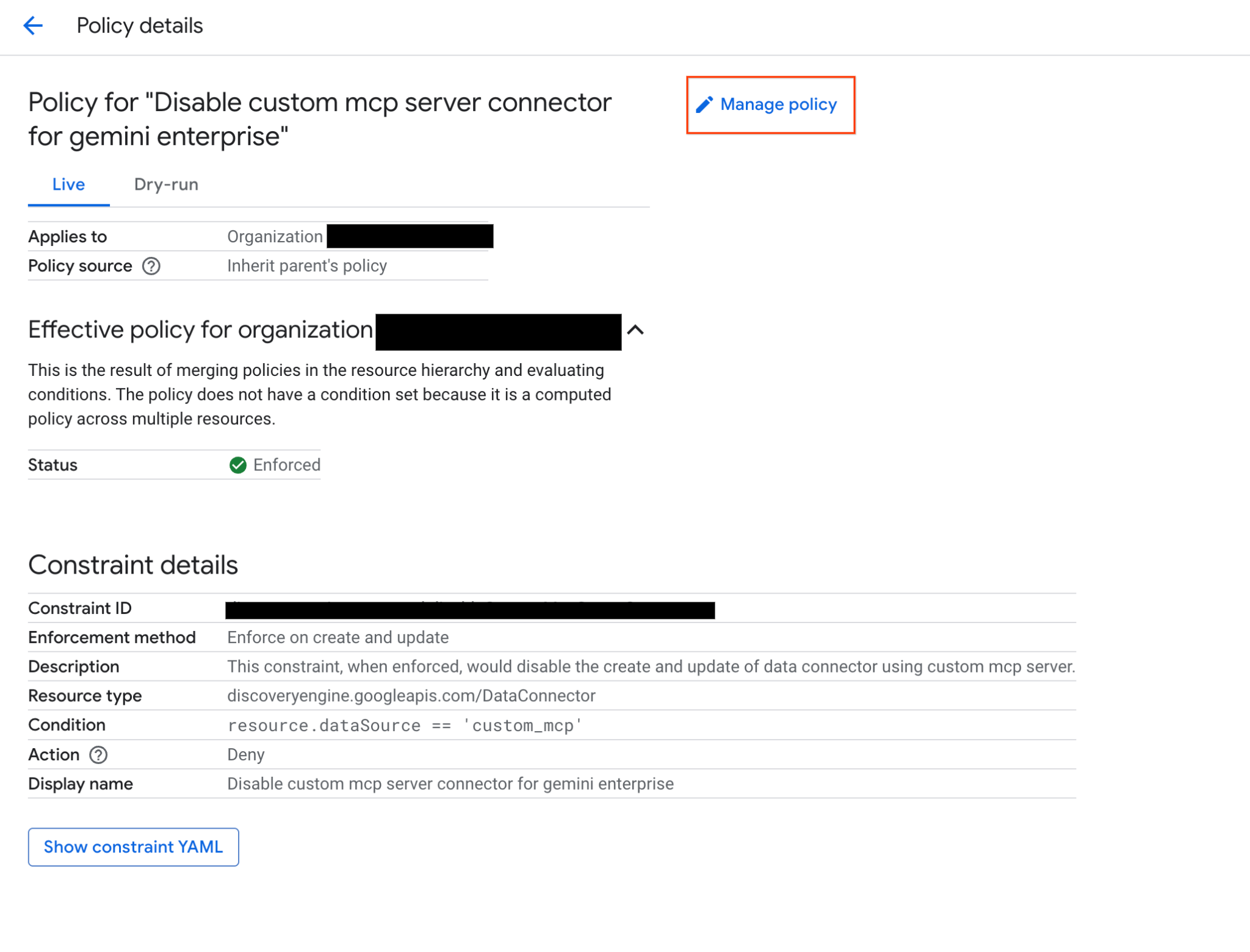
Select the option to Override parent's policy.
Add a new rule and set the enforcement toggle to OFF.
Click Set Policy.
Verify the policy change
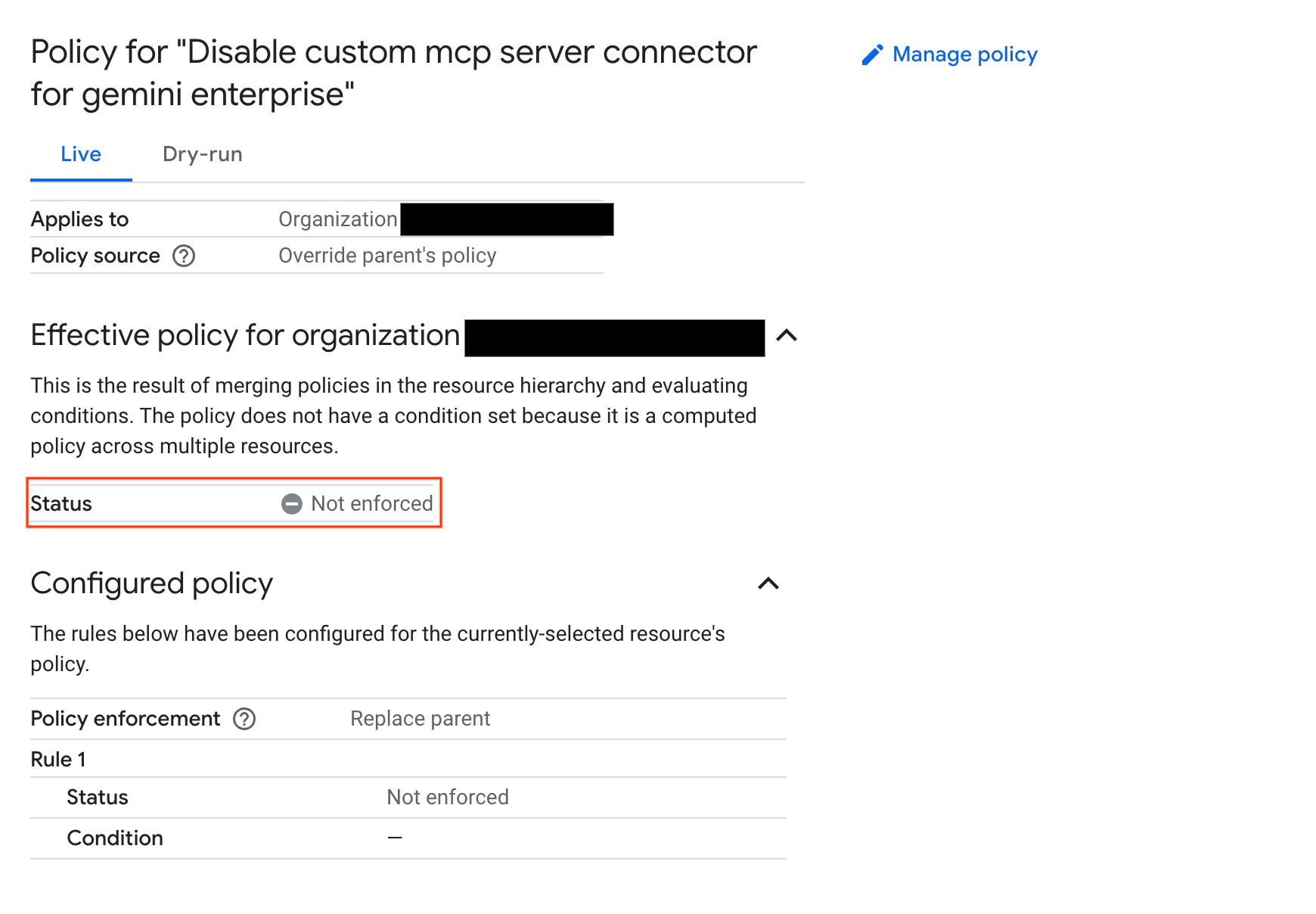
After you apply the new configuration, verify that the policy status is updated to Not enforced.
The following image shows the Organization Policy Service details page with the policy set to Not enforced:
What's next
- Create a custom MCP server data store. For more information, see Set up a custom MCP server.