

This document explains how to download the gdcloud CLI in your Google Distributed Cloud (GDC) air-gapped environment. GDC offers multiple gdcloud CLI bundle options for various use cases, such as:
- Platform: Select the operating system (OS) and architecture that correspond with your local environment.
- GDC version: Select the binary version of the gdcloud CLI, which corresponds with GDC patch versions. We recommend using the latest version available, but you can download archived versions for specific use cases.
Type: Select the bundle type based on your needs. The
Fullbundle type includes all supported gdcloud CLI commands for your selected platform. TheLitebundle type includes a subset of the gdcloud CLI commands from theFullbundle to provide a smaller download size.Both
FullandLitebundle archives include thebin/component_bundles/directory for installing components such asstorage-cli-dependencies. A standalone gdcloud CLI binary copied outside the extracted bundle directory doesn't include component bundles and can't rungdcloud components install.
The available gdcloud CLI bundles give you flexibility to run the CLI as you prefer. For more information, see Available gdcloud CLI bundles.
This document is for all audience groups that work on GDC that must use a dedicated command-line interface tool for their air-gapped hardware and software workflows. For more information, see Audiences for GDC air-gapped documentation.
Before you begin
Confirm that you have network access to an active GDC environment and know your GDC console URL (hostname). Unlike the Google Cloud CLI, the gdcloud CLI isn't publicly available for download; you download the bundle directly from your GDC console. Contact your Infrastructure Operator or Platform Administrator if you don't have this URL.
Configure an organization network policy to allow traffic from a specific CIDR outside the organization to the artifact registry. Use service
allin theOrganizationNetworkPolicyresource configuration.
Download the gdcloud CLI
Download the gdcloud CLI bundle to your system from the GDC console:
Sign in and access the GDC Welcome page.
Navigate to the Connect with CLI section.

Click Download CLI Bundle.
Choose the supported platform of interest.
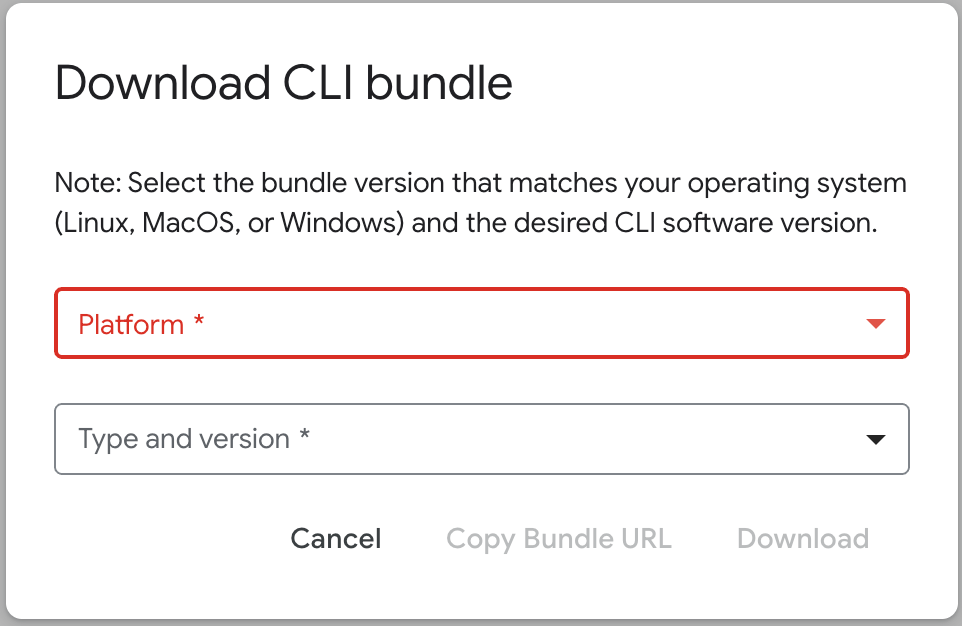
Choose the type and version that corresponds with the platform you selected.
Click Download to download the gdcloud CLI bundle to your local environment. Alternatively, you can select Copy Bundle URL to copy the download URL if you prefer initiating the download from the command-line.
Extract the gdcloud CLI bundle
Extract the contents of the downloaded gdcloud CLI bundle to any
location on your file system. Keep the extracted
google-distributed-cloud-hosted-cli directory intact so that bin/gdcloud can
locate component archives in bin/component_bundles/.
To replace an existing installation, remove the existing
google-distributed-cloud-hosted-cli directory and extract the archive to the
same location.
Extract the bundle:
tar -xf BUNDLE_PATH/CLI_TAR_FILEReplace the following:
BUNDLE_PATH: the path of the gdcloud CLI bundle. The default path is~/Downloads, unless the bundle download path was intentionally changed.CLI_TAR_FILE: the name of the gdcloud CLI tar file you downloaded, such asgdcloud_cli_windows_amd64.tar.gz.