

Table calculations let you
apply conditional logic to values in an Explore's Total row
and replace potentially misleading totals with null. When an
aggregation such as mean, median, or
percentile produces a confusing summary value, you can use an
if() and is_null() expression to display a null
symbol instead. To build custom expressions with Looker
functions and operators or
apply shortcut
calculations, you must have the
permissions
to create table calculations.
Why calculations in the Total row may be confusing
The examples and discussions on this page are based on an example of an Explore query: Order Items Count, Users Count, Order Items per User, and Mean Order Items grouped by Orders Created Date with the Totals option applied:
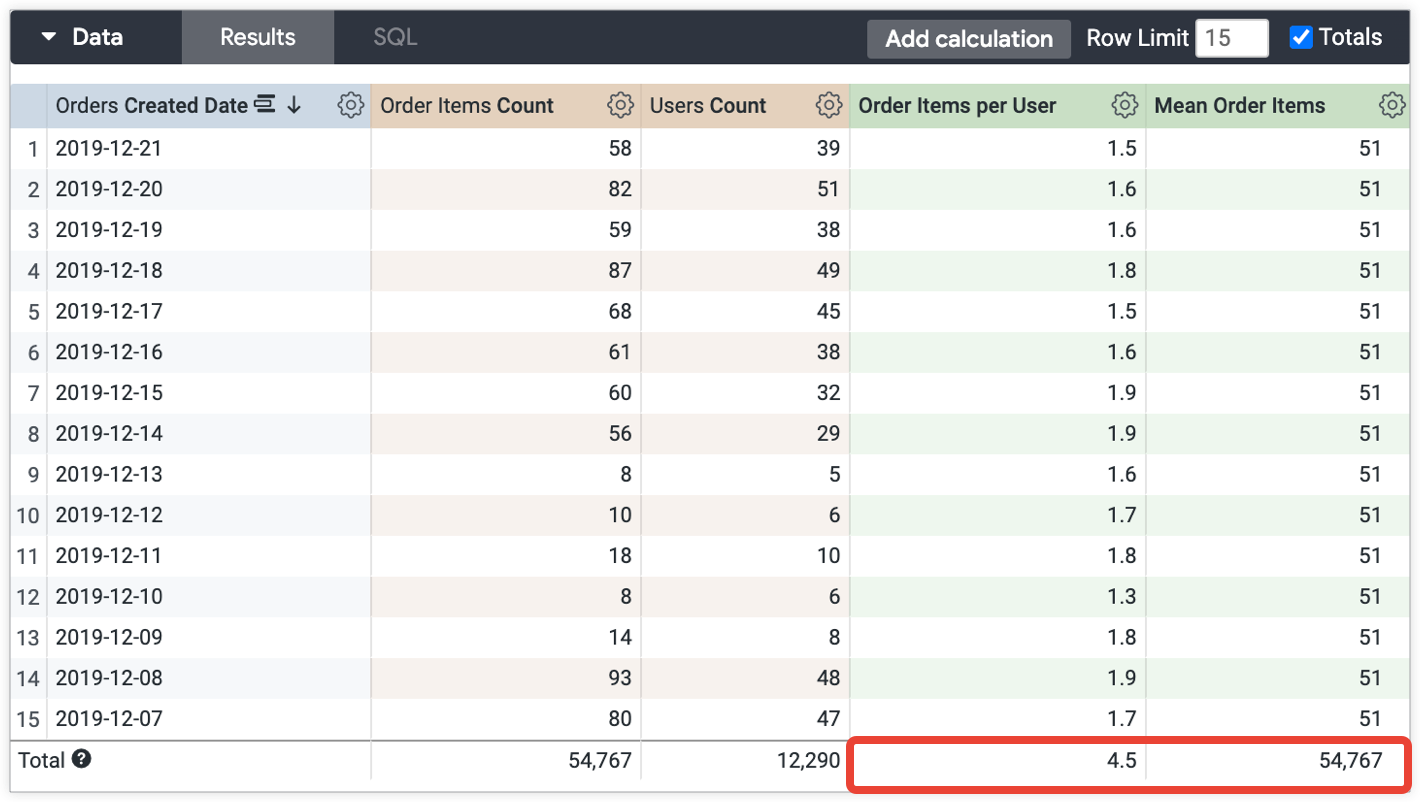
The total for the Order Items per User is 4.5, which is the expected rounded total of 54,767 (Order Items Total) divided by 12,290 (Users Count Total).
The total for the Mean Order Items is 54,767, which is the total Order Items Count — 54,767 — divided by 1, which may not make sense to display to users.
As discussed in the Considerations for using table calculations section of the Using table calculations documentation page, table calculations calculate totals based on the single Total row, not on the values in the data column. The results are clearly understandable for some calculations, like the Order Items per User table calculation total.
However, table calculations that perform aggregations — for example, calculations
that use percentile and median — may calculate totals in confusing ways, such as in the Mean
Order Items total in the example of the Explore.
Replacing a calculation total with a null symbol in the Total row
If you have a potentially confusing result in a table calculation total, you
can replace one of your totals with a null symbol using the following table calculation expression. You can replace my_grouping_dim with your grouping dimension, and table_calc with the table calculation for which you wish to display a null in the Total row:
if(is_null(my_grouping_dim), null, <table_calc>)
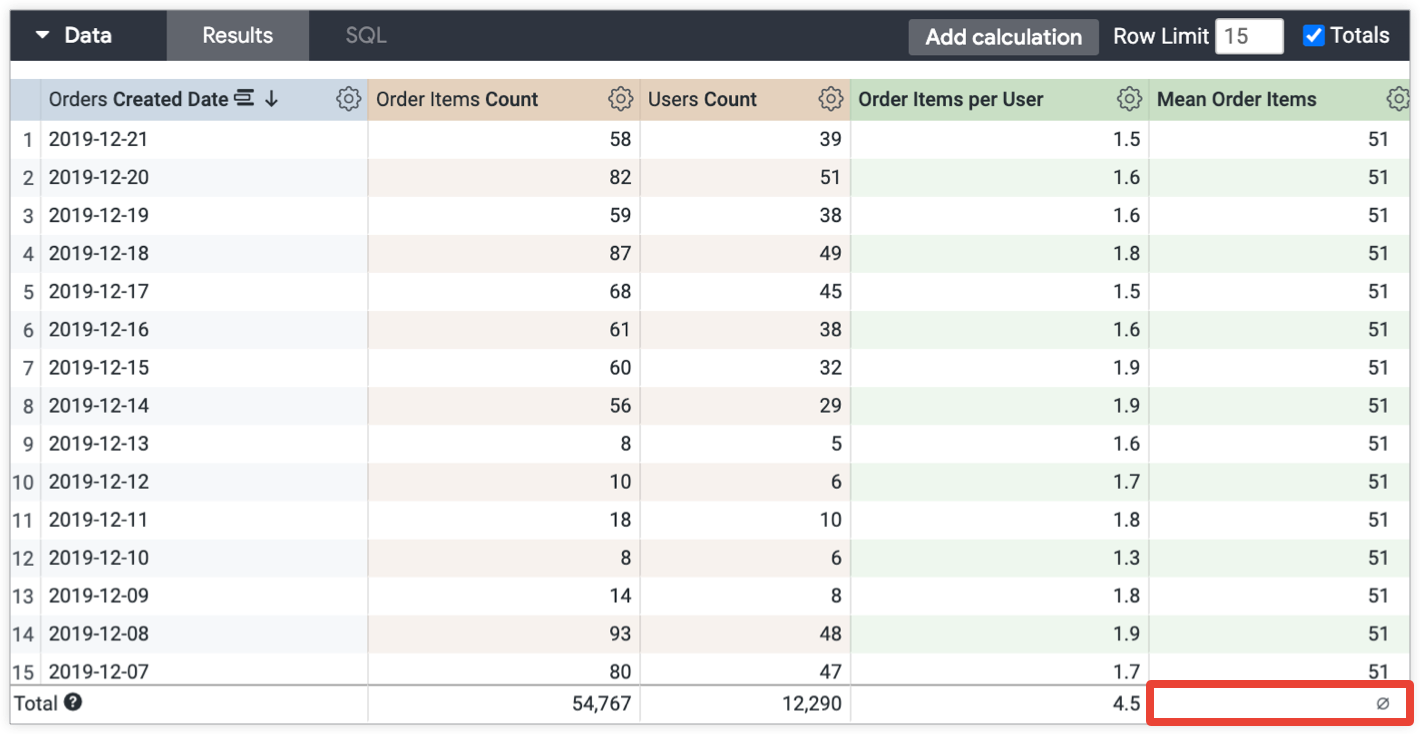
If the previous expression is applied to the Mean Order Items table calculation, the table calculation will display a null symbol for the Mean Order Items total in the data table Total row:
if(is_null(${orders.created_date}), null, mean(${order_items.count}))
This result looks like the following in the data table:
Additional resources
For additional information regarding troubleshooting totals for measures, see the Why don't my totals match the values in my table? Best Practices page.